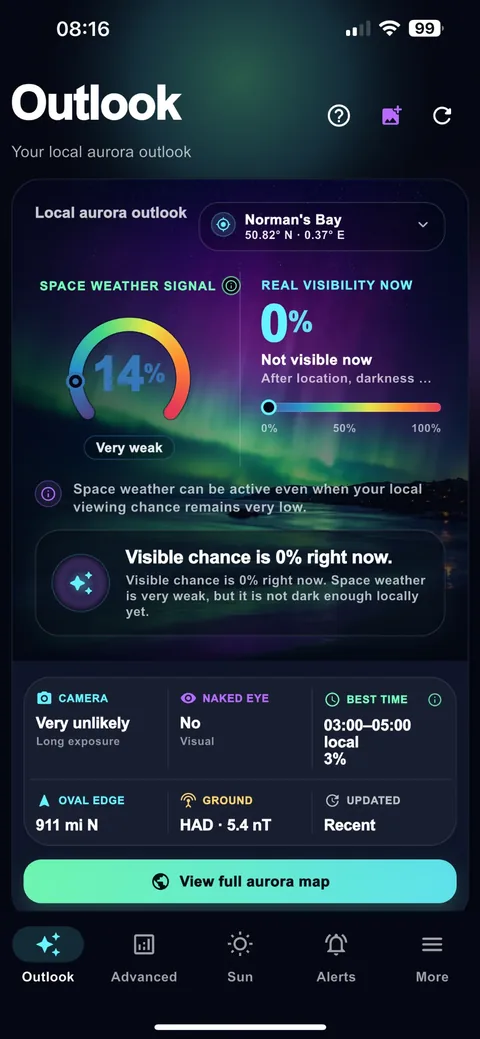
Check whether the live space-weather signal and your local visibility agree.
Aurora alerts
Aurora alerts and northern lights notifications
Get a reason to look up when conditions become useful—without turning every change in the solar wind into a noisy notification.
Local contextAdjustable sensitivityImmediate alertsiPhone & Android
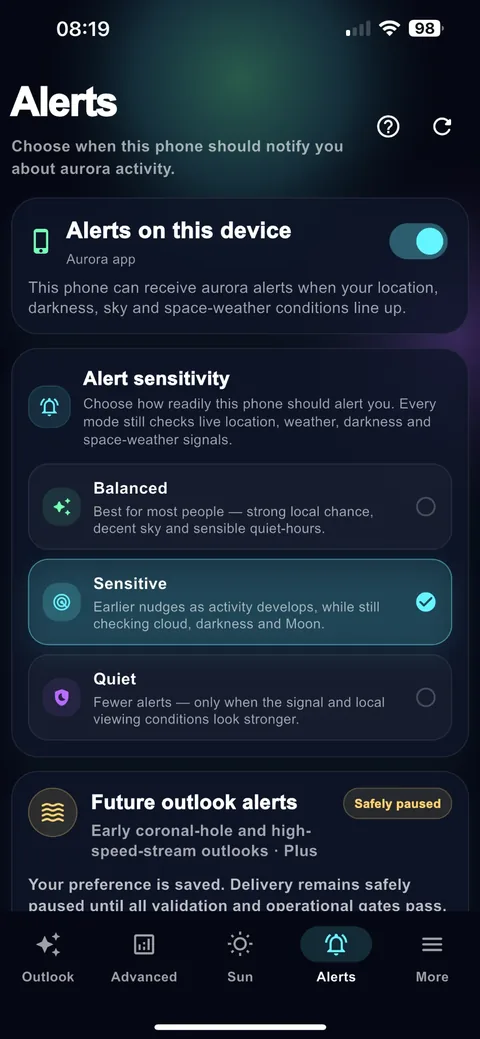
Aurora alerts should be useful, not noisy
Raw space-weather measurements can move constantly. Aurora Beacon’s alert approach is designed around whether a change is useful to an observer, combining the live signal with location, darkness and viewing context rather than treating every upstream fluctuation as a reason to wake you.
Choose the balance that suits you
Sensitivity settings let you decide whether you prefer a quieter threshold or earlier notice. The goal is the same: when a notification arrives, there should be a meaningful reason to inspect the sky and Outlook.
What happens after an alert?
Put your location against the current forecast auroral oval.
Cloud, darkness and sky glow may matter more than simply travelling farther.
Open recent signal history if conditions are changing quickly.
Immediate local alerts are part of the free core
Aurora Beacon is intended to remain useful before a subscription. Immediate local aurora alerts are part of the core experience; Plus adds deeper future-looking intelligence and additional solar-event context.